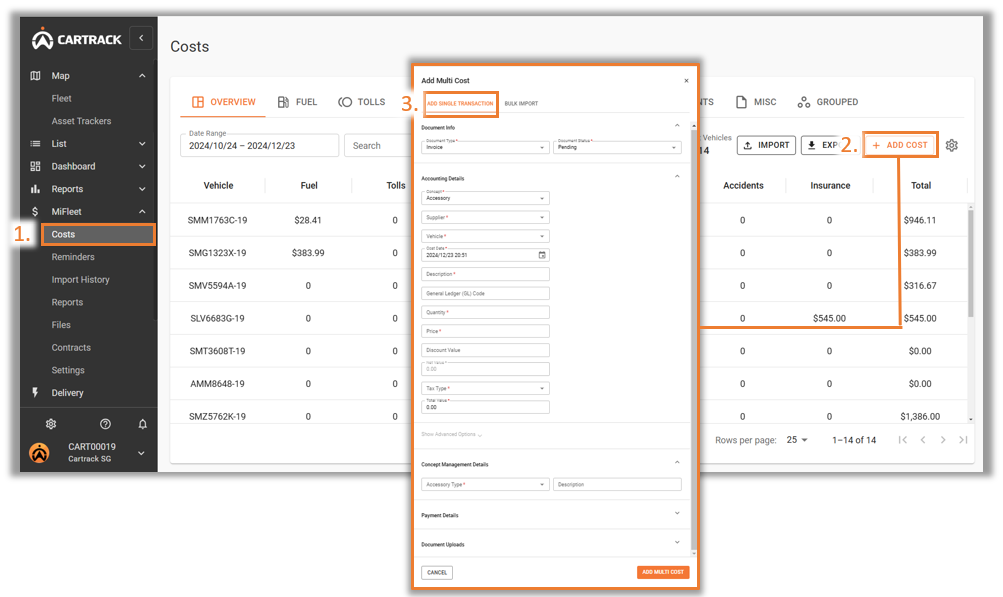
Fleet costs can be added manually through the Overview tab or individually from each cost category.
1. Haga clic en el icono “Costes” under "MiFleet". 2. Go to “Add Cost” on the top right. 3. Go to “Add Single Transaction”. 4. Fill in the required fields which are marked with a red “*”.
 Spanish
  English
  Chinese (China)
  Chinese (Hong Kong)
  Indonesian
  Malay
Malay  Polish
  Portuguese
  Thai
Thai  Arabic
  Tagalog
  Vietnamese