Driver profiles can be created and edited to include licenses, assign vehicle permissions or toggle Delivery accessibility.
Driver Creation
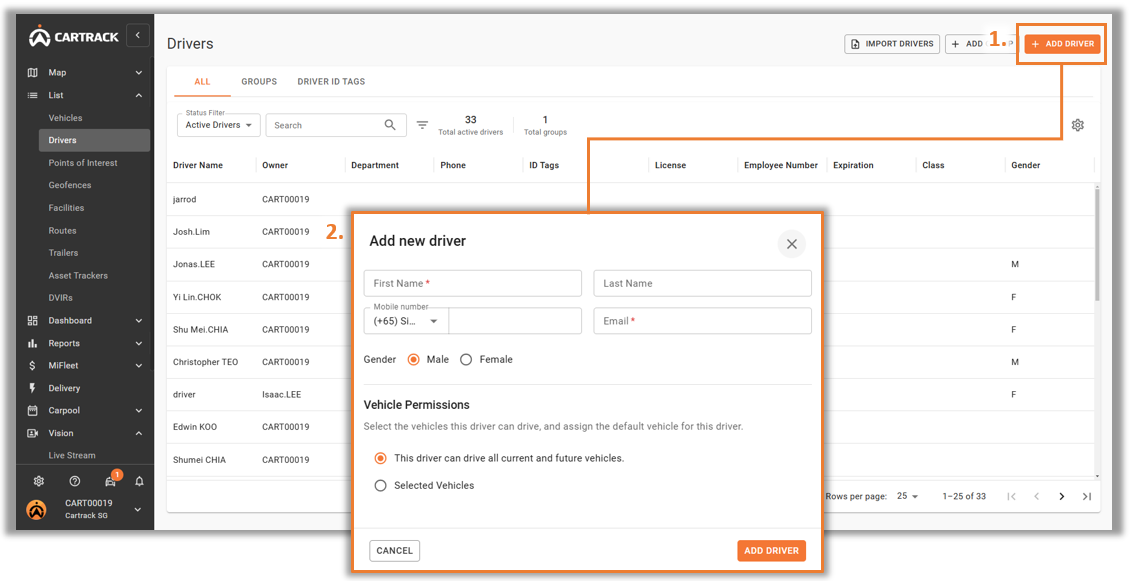
1. Select “Add Driver” to create a Driver. 2. A pop-up menu will appear. Input the necessary fields and select “Add Driver” to create.
PAMAMAHALA NG DRIVER
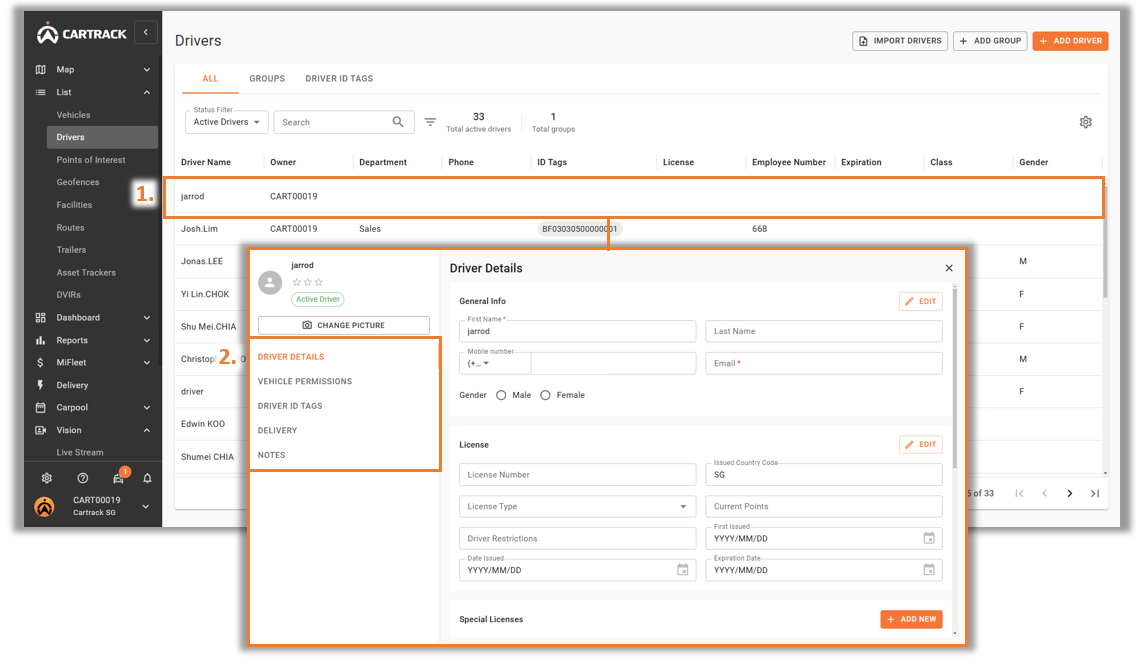
1. Select the driver to manage. 2. A pop-up menu will appear and users will be able to manage driver information. o Driver Details: Edit Driver information such as Name, Mobile Number and License. o Vehicle Permissions: Determine which vehicles the driver can operate (Requires DID Tag). o Driver ID Tags: Assign or manage Driver ID Tag for the selected driver. o Delivery: Enable or manage Driver to use Delivery Solution on Mobile App. o Tandaan Any additional notes to tag to a driver.
 Tagalog
  English
  Chinese (China)
  Chinese (Hong Kong)
  Indonesian
  Malay
Malay  Polish
  Portuguese
  Spanish
  Thai
Thai  Arabic
  Vietnamese