Vietnamese
  English
  Chinese (China)
  Chinese (Hong Kong)
  Indonesian
  Malay
Malay  Polish
  Portuguese
  Spanish
  Thai
Thai  Arabic
  Tagalog
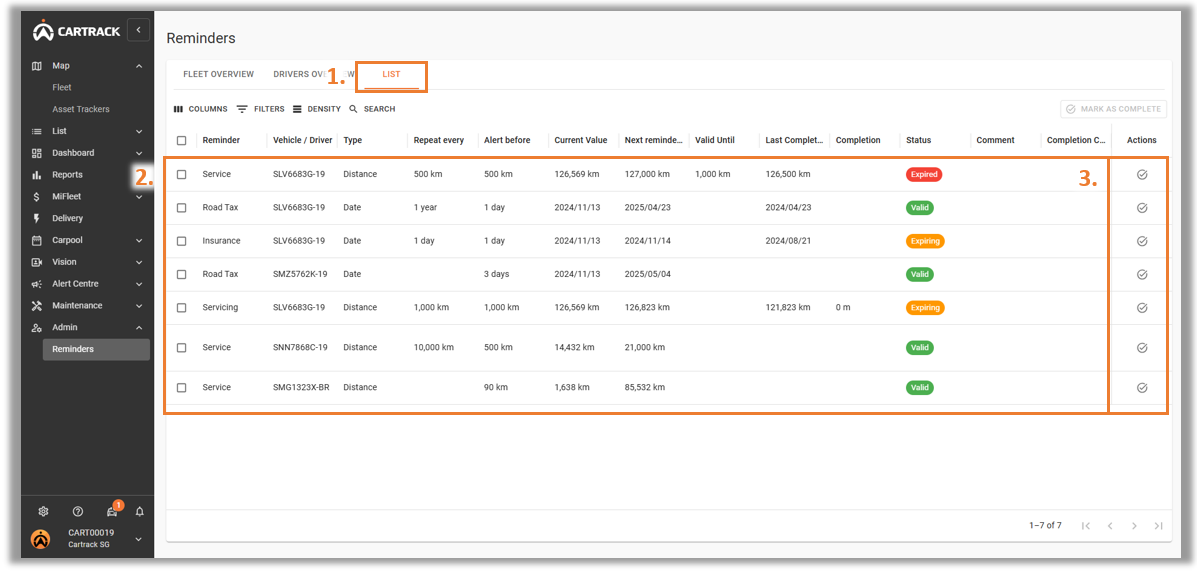
1. Chọn tab "Danh sách" tab in Admin Reminders.
2. Select the Reminder that you wish to mark as complete and click the " " .
" .
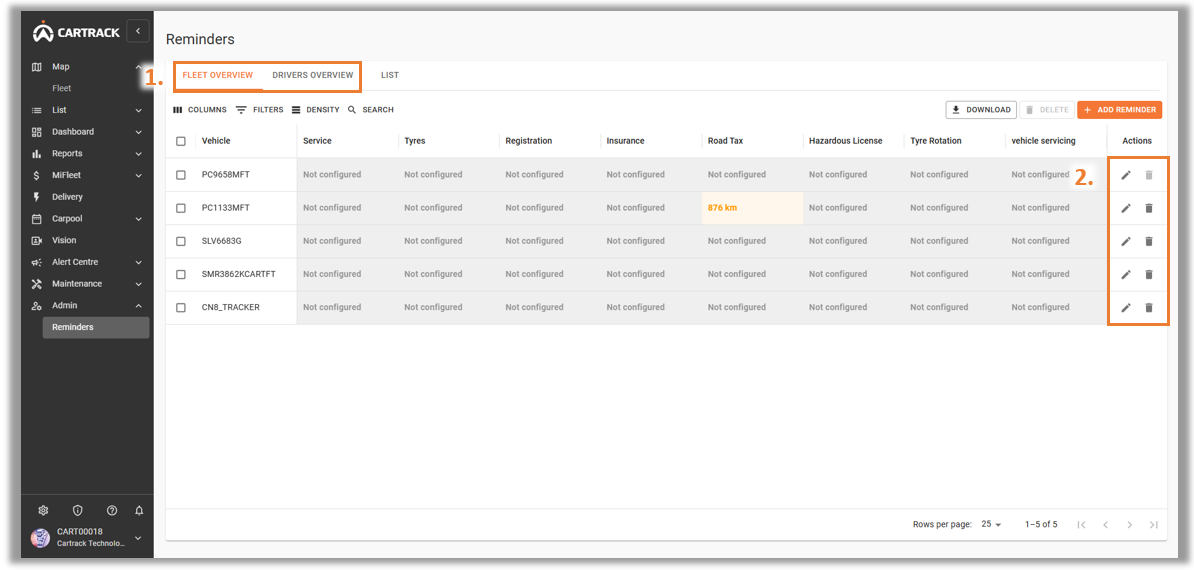
1. Select either the “Fleet Overview” or the “Driver Overview” tab in “Admin Reminders”.
2. Select the Reminder that you wish to delete or edit and click the " " hoặc "
 " icon respectively.