Chinese (Hong Kong)
  English
  Chinese (China)
  Indonesian
  Malay
Malay  Polish
  Portuguese
  Spanish
  Thai
Thai  Arabic
  Tagalog
  Vietnamese
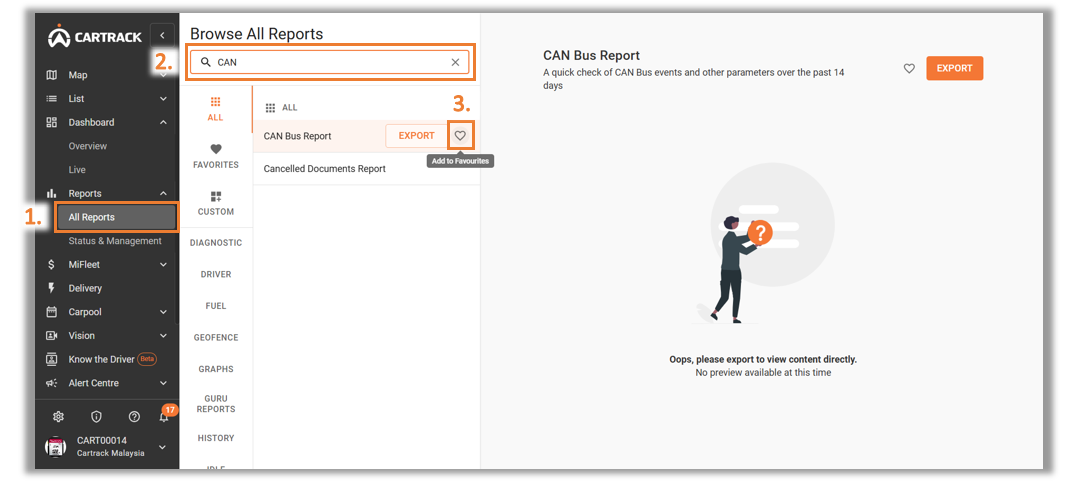
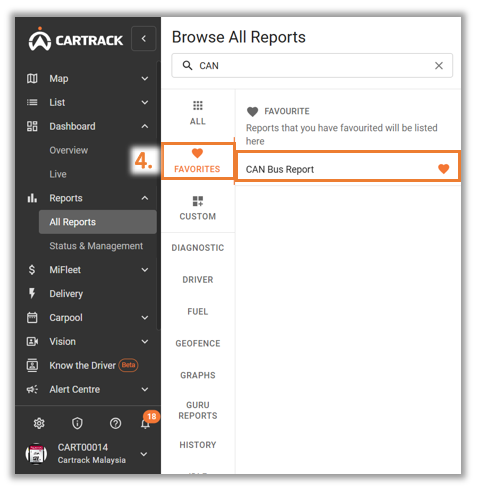
Favourite reports are any reports that you might want to download at any given moment. Without having to search for the report, you can go to your favourites and get quick access to them.
1. Click on the "报告" 标签。
2. Search for the report you want to favourite.
3. When you hover over the report you have selected, you will see a grey outlined " " icon. Click on it.